St Alban's robot News
25/9/2026: Mr F has uploaded The latest code and a video to the diagonals page
22/9/2026: Mr F has uploaded a new version of WTC2.py click here to download
It has asection at the end explaining the changes
11/9/2026: We have tried some diagonal maze movement...
21/6/26 Minos :
Click here to see drag racing photo of motor driver
There are many events and happenings to report from Minos 26:
Drag racer: we got an under 2 second result!
The Drag racer gearbox (right motor) was badly worn by the hard work
This new 9volt USB C rechargeable 9volt batteries don't have great capacity
The black Drag race track is very shiny. This caused failure to detect the stop line.
Maze solving: Both robots R3D3 & R4D4 made it to the centre. Not always however.
4/6/26 The display() in Sequencer.py doesnt wait for the hand to go away before exiting:
This causes the maze program to see a wall in front before the very first move.
3/6/26 the log() function in Sequencer.py in R4R4 is causing the program to stop:
def log():
print("S41")
irqvals = machine.disable_irq()
print("S43")
f = open("log.txt", "a")
f.write(str(L)+","+str(F)+","+str(R)+"\n")
print("S45")
S41,S43 get printed, but not S45. So either the open or the write is crashing.
Solution found: disabling interrupts seems to stop the program. (remove irqvals = machine.disable_irq())
An alternative to disabling interrupts, is to prevent the encoder inetrrupts Lwheelirq(which) / Rwheelirq(which)
from updating the wheel counts counts while talking to files.
____________________________________________________________________________________
20/5/26 The TV remote was not working because the uart object was created in both the tvr_lib.py file and the UKMARS_new file.
Also the log() function in Sequencer was crashing. Reason unknown..
18/5/26 It seems that R4D4 is not starting because the solver's wn() function cannot find a direction to go in.
Maybe wn() is receiving the wrong data, or the maze object is not being set up correctly..
We need to see what the differences are between the 4, or 5 versions of the solver that we have.
15/5/2026 Maze solving on R4D4: I have tried a simple bit of code and the motors work.
22/2/2026 Drag Racing. Are two back-to-back robots faster than One?
We need to experiment to see if Thelma and Louise are faster than Thelma on her own, Or Louise
18/1/2026 Drag program design and strategy shown in Programming Drag page
16/1/2026 Drag race current program akiliv5.py is now in Downloads.
13/1/2026
The second drag racer robot (UKM4) now has 10:1 high power motors
-and so is a possible standby for the main one ( Dave / BackinDrag)
It doesn't have the sticky tyres yet
12/1/2026
We are focussing on Drag race.. How do we use High power motors and a high power battery without burning up the robot?
see notes on Drag racing page
see also the two thread proposal at the bottom of the Programming page
3/10/2025
We have decided to improve the Maze solver that was running on R3D3
- We might see if diagonal runs are possible, with Bluetooth tuning?
8/11/2024
Work continues of a sensor-driven Wall follower See the latest program
The Over-sensitive button was caused by a program bug!
18/4/2024
Work started on an improved Mazedisplay App which will
allow the user to see, and change some Maze solver parameters
19/10/2023
Simple wall-distance feedback. See the Wallchaser video here
17/10/2023
Worksheet 1 (LEDs) now on this website
11/10/2023
Worksheet 5 now on this website
also on Drive
5/10/2023
The current Maze movement program is in downloads it has Auto-calibration
See verion movementV5_2 and solver_m_lite_2
25/9/2023
There's an App called Mazedisplay that shows the position of the robot in the maze on screen.
see the Maze Page for a description.
R3D3 runs in the UKMARS annual Maze competition. It was the only junior contestant so it won!
It reached the centre OK, needed touching on the way back, but failed the final phase 3 run.
See video
movement file: download view
solver program download view
10/6/2023
We tried running R3D3 through the maze in reverse direction, and got some surprising results.
It did a U-Turn and gave up just before moving into the final column.
It turned out that it had run the forward routine 4 times, but only traveled 3 cells forward.
But if we put a pause after each movement, the problem disappeared.
We have not solved it yet, but I think it is a clash between the interrupt routines incrementing the "Distance" due to wheels rotating,
and the forward routine setting the distance to zero at the start of the routine. both are writing to the same data item at the same time
With a long pause, the motors are stopped before the forward gets called again, and there is no interrupt clash.
Alternatively we should disable interrupts in the forward() left_turn(), right_turn() and u_turn() routines, when setting the Distances to zero.
see Interrupt problems see latest program view download
8/6/2023
R3D3 has solved the maze!
After a lot of rweaking of the number for sensors and distances travelled, it
ran through all 3 phases of the solver program.
See the video on YouTube
1) find a way to the target cell
2) find a way back to the start
3) use the fastest way to get to the target
4) stop
Here's the movement program
4/6/2023
Mr Fisher has update Maze movement program
see version 4_1 download view
see the notes to explain the updates needed
25/5/2023
Mr Clapson's sticky tyres improved the line follower time significantly.
The Movement program for the Maze solver was improved:
- reversing /forward after U-turn.
- re-tuning for motor encoders (R3D3)
- curing the "too far forward" problem using hysteresis.
15/5/2023
Robots UKM5 and R3D3 are both now working with TV remote
UKM5 has a buzzer and has had no experimental code loaded.
It needs its turn, spin and distance numbers to be tuned,
especially the U-turn
see the download page for current code
R3D3 has no buzzer but has a new function partly added, which is to
reverse until it is stopped (by running into a wall).
This allows straightening and accurate distance measurement.
Reversing should be included as part of the U_turn routine, but only if there's a wall in front.
It should then be followed by going forward 1 cell, so that it ends up in the same place as a normal U-turn.
Because it has motor encoders instead of wheel encoders,.
- all R3D3's numbers are hopelessly too small, and need tuning. Try it out.
Long straight runs:
I suggest that we use commands "1" - "9" to mean a straight run ("^") of length 1 to 9 cells.
This will make testing by TV remote simpler, and can be used for correction setting- see below'
Note that the stopping distance at the faster speed used in straight runs will be longer, so the distances
will have to be tuned seperately.
Both robots should have their motor "correction" attributes adjusted,
so that motors go the same speed, when fed with the same numerical speed value.
It can be tested using the uparrow forwards TV remote button.
this is a new feature of UKMARS_New.py
This can be done either with either:
rmotor = Motor("R")
rmotor.correction = 0.95 # (adjust value to suit)
or
rmotor = Motor("R",0.95)
4/5/2023
We tried to move the "Movement" part of theMaze software to robot R3D3,
so that it could benefit from the motor encoders, and have more accurate movements.
However, the code would often crash without error message, and refuse to respond.
Cause: this was caused by interrupts interacting with the log file generation.
Solution: the interrupts must be disabled when writing to the log file. See the programming page
2/5/2023
See David Hannaford's maze-solving tips: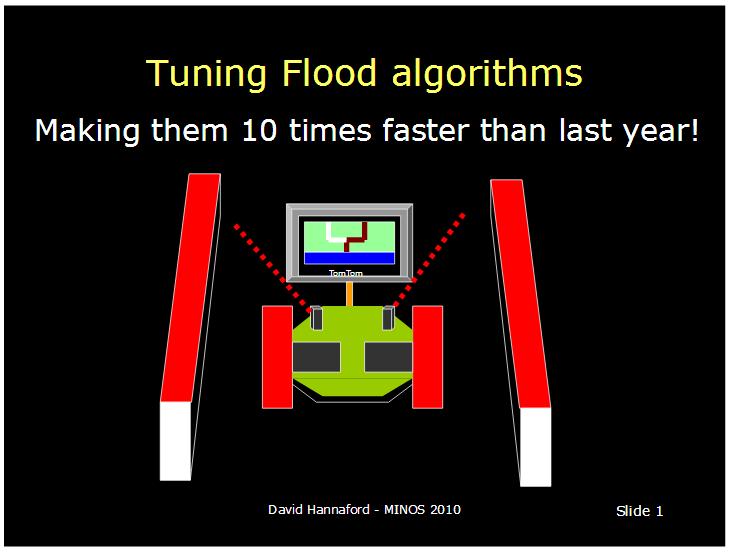
He suggests using lists to control which is the next cell to flood, and stopping when you get there.
It's quicker than flooding all 256 cells until none change their count!
30/3/2023
Maze solver succeeds in running our 6x6 Maze.
It failed last week because the robot "movement" software reported "no left wall",
when in fact there was one.
We tuned the "wall present" thresholds , and used proportional steering
(instead of on-off), and it got through fine.
No video I'm afraid.
The second solving robot (R3D3 ) is now ready.
It has motor encoders, (not wheel encoders),different gear ratio motors (20:1),
a new piggyback pico adaptor, and slightly less sensitive wall sensors.
It will therefore require re tuning of its 4 basic manoeuvres .
Program movementV2.py is now in the download page
The 4 switches have been used to select program options
SW1 0 Maze 1 Wall follower
SW2 0 TVR 2400 1 Bluetooth 9600 speed
SW3 0 solver 1 Human control
SW4 0 Await 'P' 1 Await Button press
6/3/2023
A program has been added to the Programming page that adjusts the "speeds" of the motors,
so that the robot goes in a straight line ahead.
It does this using the wheel encoders.
See the Programming page
1/3/2023
The Control program should log the walls seen, and the resulting action to a log file.
For an example of a logging function go to the
Writing and reading files page
This file can then be used to test a Solver Program without having to use a maze!
Suggested format: Left, Front, Right, Action (see below)
1, 0, 1,+
1, 1, 0,>
1, 1, 0,>
0, 1, 1,<
1, 1, 1,O
which is
Corridor, go forward,
Wall ahead, turn right (twice),
Wall ahead, turn left,
Dead end, U-turn
8/2/2023
The UKMARS Motor object has been changed in UKMARS_V4
to work (only) with the new motor driver.
See the downloads page for a copy.
3/2/2023
The UKMARS Motor object has acquired a new Attribute : "correction"
it multiplies all future speed() settings. See the Programming page
It can be used to speed up (or slow down) a motor, to make the robot
go in a straight line when the Motors are give equal speed() s
1/2/2023
Use a UART to send data to your robot by TV remote:
12/1/2023
The use of wheel encoders has improved our maze-traversing:
1/1/2023
Happy new year to our readers!
We now have a method of counting wheel rotations on our UKMARS robots
See the addition to the Maze-solving page
it requires a disk added to the inside of each wheel, and an optical sensor which communicates
with the program via interrupts
==================
15/12/2022
We have started the theory of Maze solving
==================
26/10/2022
We have two Microbit timing gates. See the instructions.
20/10/2022
We have two WHAM line followers see their page.
13/10/2022
We will be starting to build a Microbit Timing gate. See the Page
6/10/22
The drag race track is nearly finished, and Dave the wallfollower, had improvements made
1/10/2022
Competition results from Hazelmere
See the results here
No 3 Harvey, and No4 Bob did well in the line dollowing, and No 5 Dave won the Junior wall following!
Reading walls with UKMARS
The UKMARS import file has a function ReadWALLS()
that reads the 3 wall sensors. It switches the LEDS on and off to measure the difference that lighting makes.
Unfortunately, if you don't leave a time gap between readings, the values on a second reading are about 10% smaller!
This is because the illumination seems to linger for a millisecond or two.
28/9/2022
Different speed settings
The UKMARS robot has 4 switches next to the Pico circuit.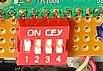
These can be used to choose between settings, in case you're not sure which is best for a competition..
Suppose you have settings for your program but you're not sure which work best::
speed = 20 # speed in corridor
mult = 0.002 # amount of steering in corrido
front_dist = 8000 # front wall distance when we spin right
left_dist = 3000 # left wall distance before we turn left
We can use the left hand switch (SW1) to choose different versions:
if (SW1.value() == 1):
speed = 20 # speed in corridor
mult = 0.002 # amount of steering in corridor
front_dist = 8000 # front wall distance when we spin right
left_dist = 3000 # left wall distance before we turn left
else:
speed = 20 # speed in corridor
mult = 0.0025 # amount of steering in corridor
front_dist = 8500 # front wall distance when we spin right
left_dist = 3200 # left wall distance before we turn left
24/2/2020
Timing Gate
The timing gate now does a RED countdown, and starts (Green) after a 3,2,1 countdown.
Bigger wheels
70mm wheels are now fitted to Daryl.
Other robots will need the chassis to be cut away to make room for the bigger
wheels
Faster motors
800 RPM motors (as opposed to 540) fitted to Daryl, and Barry.
Higher output voltage.
Adding 3 resistors to the circuit increases the maximum output voltage from 5.9 volts to 6.7 volts.
It also changes the PWM output needed to stop the motors from 490 to 550.
Tail skid
Fitting a third wheel that trails behind the two main wheels can make the robot more stable.
This depends on the proportion of the weight that rests on it.
It also makes the robot harder for the motors to steer.
The height of the front sensor must be maintained for the line sensing to work properly.
Paper sensor
This is a second sensor which can be used to start the race when the paper is removed.
It produces a very low output (0-30 compared to the range of the line sensor 0-250).
The decision levels, at which the paper arrival and departure are detected, must be chosen carefully.
Mr Fisher.